
Best Elementor addons is one of those searches that returns a hundred nearly identical listicles. Most are recycled year over year with barely updated dates. This one is different in one way. Every addon here earned its place because it solves a real, recurring problem, not because it fills out a round number. Here’s what’s actually worth installing in 2026, and just as importantly, when you shouldn’t bother.
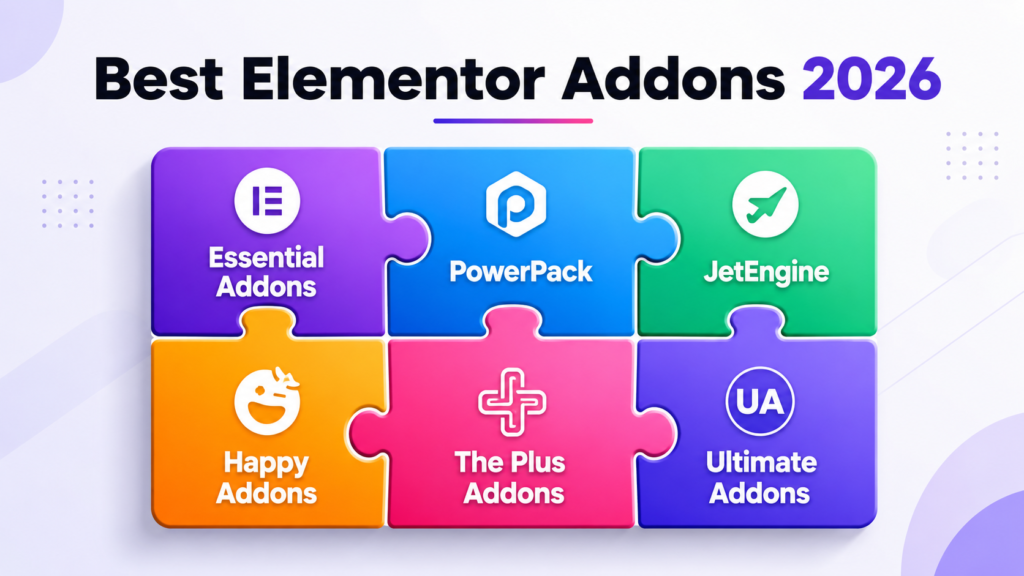
Best Elementor Addons: Why Choice Matters More Than People Realize
Every addon you install adds its own CSS, JavaScript, and widget library to your site. That happens whether or not you use most of what it includes. A single well-chosen addon pack can replace three or four narrower plugins. That reduces the overall load on your site. Three overlapping addon packs installed out of habit quietly bloat every page instead. They slow down your editor along with your live site. The best Elementor addons strategy isn’t “install everything that looks useful.” It’s choosing a small number of genuinely comprehensive packs, and resisting the urge to add more.
Essential Addons for Elementor
Essential Addons is one of the most widely installed Elementor addon packs, and for good reason. It covers an enormous range of widgets. Content sliders, countdown timers, advanced WooCommerce widgets, and interactive elements like flip boxes and testimonials are all included. Its free version alone covers most of what a typical business site needs. That makes it a sensible starting point before reaching for a paid alternative.
Where it particularly earns its place is in its WooCommerce widget set. If you’re building a store, Essential Addons’ product grid, quick view, and cart widgets save meaningful development time. Configuring the same functionality manually takes considerably longer. The tradeoff is size. You’re loading a fairly large plugin even if you only use a handful of its widgets. It’s worth disabling unused widget modules in its settings, rather than leaving everything active by default.
PowerPack for Elementor
PowerPack leans toward more design-forward widgets. Think advanced content grids, interactive image comparisons, and creative header layouts that go beyond what Elementor’s own widget library covers. It’s a strong pick specifically for agencies building distinctive, portfolio-style sites, where a template-default look isn’t good enough.
It’s a paid product without a meaningful free tier, which puts it in a different category from Essential Addons. Consider it for a small number of high-design sites, where its specific creative widgets solve a design problem you’re actually facing. It’s less useful as a default install on every project.
JetEngine for Dynamic Content
JetEngine solves a problem Elementor doesn’t handle natively. It lets you build custom post types, custom fields, and dynamic listing templates without writing PHP. Think a real estate listing site, a directory, or a portfolio with filterable categories. For projects like that, JetEngine is often the single addon that makes the build feasible without custom development.
It pairs particularly well with Elementor Pro’s Theme Builder. You design a single template for a custom post type, then populate it dynamically from JetEngine’s fields. This is genuinely different territory from most addon packs, which mostly add pre-styled widgets. JetEngine adds structural capability Elementor doesn’t have on its own.
Happy Addons
Happy Addons occupies similar territory to Essential Addons. It has a broad general-purpose widget library and a generous free tier. The choice between the two often comes down to which specific widgets you need, and personal preference on interface. There’s real overlap in what they cover.
One area where Happy Addons stands out is its collection of interactive, animation-heavy widgets. Animated headings and interactive counters add visual polish to landing pages without needing custom JavaScript. If your project leans toward marketing and landing pages, this is worth a look alongside Essential Addons. Running both simultaneously usually isn’t necessary, though.
The Plus Addons for Elementor
The Plus Addons has built a reputation for staying current with Elementor’s own architecture changes. That includes compatibility work around WordPress core updates and Elementor’s newer container-based layout system. Build stability is a real differentiator here. It matters most for agencies managing many client sites, where a broken addon after an update becomes an emergency support ticket.
Feature-wise, it covers similar ground to Essential Addons and Happy Addons: general-purpose widgets, WooCommerce extensions, and a solid free tier. The decision between all three often comes down to specific widgets you need for a given project. None is categorically better than the others.
Ultimate Addons for Elementor
Ultimate Addons comes from the Astra theme team. It integrates particularly well if you’re already using the Astra theme, a common pairing for lightweight, performance-focused Elementor builds. It covers standard widget territory: headings, buttons, info boxes. It also includes a strong set of pre-designed section templates, which speed up building common page layouts like pricing tables and team member grids.
If you’re not using Astra as your theme, there’s less specific reason to reach for this one over Essential Addons or Happy Addons. The core widget functionality overlaps significantly across all three.
When to Skip Addons Entirely
Not every project needs a third-party addon pack. If you’re building a simple site with standard content, pages of text, images, and a contact form, Elementor’s own free widget library often covers everything you need. Add Elementor Pro if you need the Theme Builder. Installing a full addon suite for two or three extra widgets adds ongoing maintenance overhead. The page weight cost isn’t worth it for such a small gain.
A good rule of thumb: name the specific widget or capability you’re missing first. Then look for the addon that solves that specific problem. Don’t install a broad general-purpose pack for one feature. If you genuinely need broad coverage across many widget types, for a content-heavy or e-commerce site, a comprehensive pack like Essential Addons or Happy Addons earns its place.
How Many Addon Packs Should You Actually Run?
One general-purpose pack, plus a specialized addon for anything that pack doesn’t cover, is a reasonable ceiling for most projects. Running two overlapping general-purpose packs together rarely adds meaningful capability. It reliably adds page weight and editor slowdown instead. If you’ve got three or four addon plugins active and can’t clearly explain what each one uniquely provides, that’s a sign. Audit them, and remove the redundant ones. Our guide to improving Elementor performance covers how to identify which installed plugins are actually slowing your site down.
Frequently Asked Questions
Do Elementor addons slow down my site?
They can, particularly if you’re running multiple overlapping packs or leaving unused widget modules active. A single well-chosen addon pack, with unused modules disabled, has a much smaller impact than several redundant plugins stacked together.
Are free Elementor addons safe to use for client sites?
Generally yes, provided they’re actively maintained and come from a reputable source on WordPress.org. Check the plugin’s last update date and support activity before committing to it for a client project. Abandoned addons can become a compatibility risk after future updates.
Do I need a paid addon pack, or is the free tier enough?
For most standard business sites, the free tiers of Essential Addons or Happy Addons cover the majority of common needs. Paid upgrades matter most for specific advanced functionality, like JetEngine’s dynamic content features, rather than being a blanket requirement.
What’s the best addon for a WooCommerce store specifically?
Essential Addons has one of the more comprehensive WooCommerce widget sets among the general-purpose packs. It covers product grids, quick view, and cart functionality without needing separate specialized plugins for each feature.

Mēs esam web izstrādes komanda, kas ikdienā strādā ar WordPress, WooCommerce, Elementor un vairāki desmitiem klientu vietņu — no restorāniem un viesnīcām līdz medicīnas iestādēm un ražošanas uzņēmumiem. toelementor.com izauga tieši no reālas nepieciešamības: klienti bieži vēlas pāriet no vecākiem page builderiem (WPBakery, Divi, Beaver Builder) vai citām platformām (Wix, Squarespace, Webflow) uz Elementor, nezaudējot dizainu, saturu vai Google pozīcijas.
Mūsu specializācija ir tehniskā SEO audita apvienošana ar praktisku migrācijas darbu — katru migrāciju pavada URL saglabāšana, 301 redirect kartēšana un pēc-migrācijas veiktspējas pārbaude, ne tikai vizuāla pārbūve.